For over two decades, enterprise automation relied on basic Optical Character Recognition (OCR) engines. Early OCR systems operated on a simple, brittle mechanism: converting pixels on a scanned image into plain text strings. In the early days of Robotic Process Automation (RPA), developers attempted to process business documents by pairing OCR outputs with fixed pixel anchor regions, Z-zone scraping, or fragile regular expressions.
When applied to real-world corporate documentation—such as supplier invoices, bills of lading, medical claims, utility bills, tax forms, and legal contracts—legacy rule-based OCR fails completely. A single vendor updating their invoice layout, shifting a subtotal block two inches to the right, or transitioning from a single-column to a multi-column table breaks traditional automation scripts instantly. The resulting maintenance overhead consumed hundreds of engineering hours, creating an operational bottleneck that prevented enterprise scaling across business units.
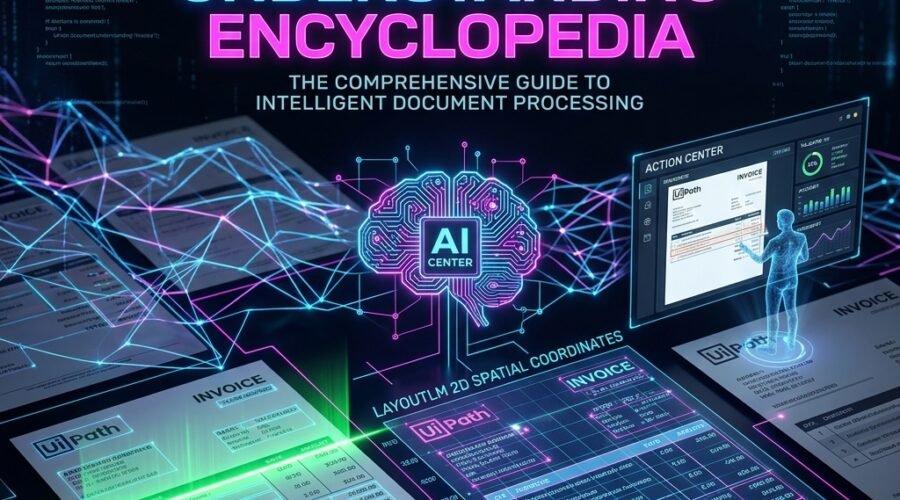
UiPath Document Understanding (DU) represents a fundamental paradigm shift from legacy character recognition to Intelligent Document Processing (IDP). IDP treats document ingestion as a multi-modal artificial intelligence problem, evaluating text, spatial layout visual geometry, and structural visual tokens simultaneously.
Instead of evaluating text strings in isolation, Document Understanding fuses three distinct signal layers:
- 1. Textual Content Layer: The literal textual characters, numbers, and strings recognized on the page by the underlying OCR engine.
- 2. Page Geometry Layer: The exact 2D bounding box coordinates
[x0, y0, x1, y1, width, height]assigned to every word on the document canvas. - 3. Visual Token Layer: Visual features processed by Convolutional Neural Networks (CNNs), such as table borders, company logos, checkbox states, barcode regions, and signature lines.
By combining these three distinct layers into unified machine learning models, Document Understanding achieves robust extraction across unstructured and semi-structured documents without relying on fragile pixel positions.
Core Architectural Paradigm: Legacy OCR answers “What text characters exist on page 1?”. UiPath Document Understanding answers “What does this text represent in context, how does it relate visually to surrounding labels, and which field does it populate in SAP, Salesforce, or Oracle Financials?”
Module 2: Deep Dive into LayoutLM & Visual Geometry Mathematics
To understand why UiPath Document Understanding achieves extraction accuracy exceeding 95% across thousands of un-templated vendor invoices, automation architects must examine the underlying deep learning transformer architecture: LayoutLM.
2.1 The Multi-Modal Transformer Architecture
LayoutLM is a specialized Transformer architecture designed specifically for multi-modal document image understanding. Traditional Natural Language Processing (NLP) models like BERT operate exclusively on 1D textual sequences, rendering them completely blind to visual document structure. LayoutLM extends BERT by embedding 2D spatial coordinates directly into the Transformer self-attention mechanism.
2.2 2D Bounding Box Coordinates & Spatial Attention
During the Digitization stage of Document Understanding, every token detected on a document page is assigned a normalized bounding box vector:
Bounding Box Vector = [x0, y0, x1, y1, width, height]
Normalized Coordinate System = [0, 1000]
LayoutLM incorporates these 2D spatial coordinates directly into its self-attention layers alongside text word embeddings. The attention weights calculate geometric proximity. For example, when reading an invoice, LayoutLM calculates that a numeric token located horizontally adjacent to the phrase “Grand Total” or “Balance Due” is mathematically 98.7% likely to represent the total payable amount—regardless of whether the vendor uses a 1-column layout, a 3-column table, or a shaded box.
This multi-modal fusion allows the model to learn topological patterns across thousands of document layouts. Even if an invoice is written in a language the developer does not speak, the geometric relationships between key labels and values remain consistent.
2.3 Generative AI & Large Language Models (LLMs)
With recent UiPath platform updates, Document Understanding introduced Generative AI Extractors powered by multimodal LLMs (including GPT-4o, Claude 3.5 Sonnet, and proprietary UiPath Foundation Models). Generative AI enables zero-shot extraction—allowing developers to extract complex key-value pairs from novel, unstructured documents (such as clinical summaries or legal contracts) using natural language prompts without writing any regex rules or training custom ML models.
Module 3: Classic Document Understanding Architecture (DU Framework 1.0 / 2.0)
Classic Document Understanding in UiPath Studio is structured around a modular, 6-stage architectural pipeline. Each stage is executed inside a specialized activity scope, passing structured C# and VB.NET object models between stages.
3.1 Stage 1: Taxonomy Definition (DocumentTaxonomy)
The Taxonomy is the foundational JSON metadata contract defining all document categories, groups, document types, and field schemas. Managed visually via Taxonomy Manager in Studio, it instantiates a DocumentTaxonomy object.
// DocumentTaxonomy Object Structure Representation:
{
  "TaxonomyVersion": "2024.10",
  "Categories": [
    {
      "Name": "Finance",
      "Groups": [
        {
          "Name": "AccountsPayable",
          "DocumentTypes": [
            {
              "Name": "Invoices",
              "DocumentTypeId": "Finance.AccountsPayable.Invoices",
              "Fields": [
                { "Name": "InvoiceNumber", "Type": "Text" },
                { "Name": "VendorName", "Type": "Text" },
                { "Name": "InvoiceDate", "Type": "Date" },
                { "Name": "TotalAmount", "Type": "Number" },
                { "Name": "LineItems", "Type": "Table", "Columns": ["Description", "Quantity", "UnitPrice", "LineTotal"] }
              ]
            }
          ]
        }
      ]
    }
  ]
}
3.2 Stage 2: Digitize Document Scope (RawText & DOM)
The Digitize Document activity accepts raw document bytes (PDF, TIFF, PNG, JPG) and runs an underlying OCR engine. It produces two critical runtime variables:
- 1. RawText (String): A single string variable containing all textual characters extracted from the document pages.
- 2. DOM (Document Object Model): Document Object Model containing JSON metadata of every page, line, word, character, visual angle, DPI resolution, and 2D bounding box coordinate
[x0, y0, x1, y1].
3.3 Stage 3: Classify Document Scope (ClassificationResult[])
Classify Document Scope determines the document category of incoming files and handles composite multi-document splitting (e.g. identifying that a 10-page PDF contains 2 Invoices on pages 1-3, 1 Bill of Lading on page 4, and 3 Receipts on pages 5-10).
Classic DU provides 5 distinct Classification methods:
- 1. Keyword Classifier: Matches exact user-defined keyword strings. Fast execution with low CPU overhead. Best for distinct documents with unique headers (e.g. ‘Form W-9’).
- 2. Intelligent Keyword Classifier: Uses a Vector Space Model to analyze word frequency and spatial density. Automatically learns layout structures without manual regex rules.
- 3. FlexiCapture Classifier: Integrates ABBYY FlexiCapture classification engine for legacy enterprise document classification.
- 4. Machine Learning Classifier: Deep learning model trained inside AI Center. Evaluates multi-modal visual features and spatial layouts.
- 5. Generative Classifier: Zero-shot LLM classification using natural language definitions.
3.4 Stage 4: Data Extraction Scope (ExtractionResult)
Data Extraction Scope pulls specific field values defined in your Taxonomy from the digitized document. Classic DU supports 6 extraction engines:
- 1. Regex Extractor: Pattern-based extraction using regular expressions. Best for fixed string formats like Social Security Numbers, Tax IDs, IBANs, and dates.
- 2. Form Extractor: Anchor-based template matching for structured forms where fields never move (e.g. W-9 forms, ACORD insurance forms).
- 3. Intelligent Form Extractor: Advanced anchor matching supporting Intelligent Character Recognition (ICR) for handwritten text, checkbox state detection (Checked/Unchecked), and signature detection.
- 4. Machine Learning Extractor (OOTB): Pre-trained deep learning models hosted in UiPath Cloud (Invoices, Receipts, Purchase Orders, Utility Bills, Passports, ID Cards).
- 5. Custom ML Extractor: Custom deep learning models trained inside AI Center using proprietary enterprise document datasets.
- 6. Generative Extractor: Zero-shot LLM prompt extraction for complex unstructured texts like legal contracts, clinical notes, and claims rationales.
3.5 Stage 5: Human Validation & Persistence Framework
When model extraction confidence falls below predefined operational thresholds (e.g. < 85%), the workflow triggers human review. In Attended execution, Present Validation Station displays a desktop popup. In Unattended execution, Create Document Validation Action pushes a task to Action Center. The robot surrenders execution context, enters a Suspended state, and releases its Orchestrator license while waiting for human validation.
3.6 Stage 6: Data Export & Training Loops
Once validated, Export Extraction Results converts ExtractionResult objects into System.Data.DataSet and DataTable[] arrays for direct ERP entry (SAP, Salesforce, Oracle). Simultaneously, Train Extractor Scope routes human-corrected data back to AI Center for automated model retraining.
Module 4: Modern Document Understanding Architecture (DU 2024.10+ / Generative IDP)
Modern Document Understanding in UiPath 2024.10+ represents an evolution toward cloud-native, generative AI-driven document automation, reducing setup time from weeks to minutes.
4.1 Generative AI & Foundation Models (UiPath DocPATH & DocVQA)
UiPath Modern DU introduces specialized foundation models—such as UiPath DocPATH and DocVQA—alongside LLM integration (GPT-4o, Claude 3.5 Sonnet, Llama 3). These models eliminate the need for manual taxonomy building and template anchoring.
- Zero-Shot Generative Extraction: Allows instant field extraction from unstructured documents purely using plain natural language prompt descriptions.
- Document Visual Question Answering (DocVQA): Natural language document question answering. Allows robots to query documents conversational (e.g. ‘Is this invoice past due based on payment terms?’).
- Generative Classification: Automatically discovers and classifies document types in incoming batches without prior keyword setup.
4.2 Modern Cloud-Native DU App & IXP (Intelligent Experience Platform)
In Automation Cloud, Modern DU introduces the Document Understanding Web Experience (DuApp). Developers can define schemas, test prompt extraction live in the browser, and publish production endpoints instantly without opening Studio.
4.3 AI Unit Consumption & Token Optimization
Modern DU operates on an AI Unit licensing model. Extraction costs are calculated based on page counts, OCR engine selection, and LLM token usage. Optimizing PDF page splitting prior to calling Generative Extractors is critical for cost management.
Module 5: Deep Dive into OCR Engines & Digitize Configurations
Selecting the appropriate OCR engine during Stage 2 dictates downstream extraction accuracy across both Classic and Modern DU pipelines.
- UiPath Document OCR: UiPath’s proprietary OCR engine optimized specifically for Document Understanding workflows. High processing speed, native multi-language support, and superior handling of skewed, low-resolution, or noisy scanned files. Highly recommended default.
- Google Cloud Vision OCR: Cloud API engine with industry-leading extraction accuracy on handwritten text, distorted mobile camera captures, and non-English scripts.
- Microsoft Read OCR: Azure Cognitive Services Read API. Highly optimized for clean digital PDFs, large corporate contracts, and high-density printed files.
- OmniPage OCR: Workstation-based local engine suitable for air-gapped on-premises environments requiring zero outbound internet connections.
- ABBYY FlexiCapture OCR: ABBYY FineReader OCR engine integration for legacy enterprise document architectures.
5.1 Digitize Document Activity Parameters
// Digitize Document Activity Settings:
ApplyOcrOnPdf: Auto | Always | Never
DegreeOfParallelism: 4 (Max concurrent page processing threads)
DetectOrientation: True (Auto-rotates sideways or upside-down scans prior to extraction)
ScaleFactor: 1.5 to 2.0 (Upscales low DPI images for clearer character separation)
ForceApplyOCR: True (Forces OCR engine execution even on digital text PDFs)
Module 6: Complete Step-by-Step Developer Implementation Guide
Below is the complete, end-to-end developer guide for building production Document Understanding automations in UiPath Studio.
Step 1: Create Project & Define Taxonomy
Create a new C# or VB.NET Windows process in UiPath Studio. Install the UiPath.DocumentUnderstanding.ML.Activities and UiPath.IntelligentOCR.Activities packages. Open Taxonomy Manager and define your schema.
Step 2: Initialize Digitize & Classification Scope
Add Digitize Document activity, passing the target file path and instantiating UiPath Document OCR. Add Classify Document Scope and configure Intelligent Keyword Classifier.
Step 3: Configure Data Extraction Scope & Hybrid Cascade
Add Data Extraction Scope. Configure Form Extractor for structured forms, ML Extractor for invoices, and Generative Extractor for unstructured notes.
Step 4: Configure Human Validation via Action Center
Evaluate extraction confidence scores. If confidence < 0.85, call Create Document Validation Action and Wait For Document Validation Action And Resume.
Step 5: Export Data & Write to ERP
Execute Export Extraction Results to generate System.Data.DataSet. Loop through data tables and insert records into SAP via BAPI/RPA automation.
Module 7: AI Center Model Fine-Tuning & Active Learning
For custom document types, AI Center enables continuous machine learning model training.
7.1 Data Manager Labeling Guidelines
- 1. Import Samples: Upload 50 to 100 sample document PDFs representing operational vendor variance.
- 2. Define Schema: Specify field names and data types (Text, Number, Date, Address, Table).
- 3. Label Fields: Draw bounding boxes around text values. For tables, label header rows and individual cell items.
- 4. Export Dataset: Export labeled dataset zip package directly into AI Center ML Pipelines.
7.2 Training & Evaluation Pipelines
Run Training Pipeline in AI Center. Evaluate model health via Evaluation Pipeline. Aim for an F1 Score ≥ 0.85 before production deployment.
7.3 Active Learning Loop
Human corrections in Action Center are passed to Train Extractor Scope in Studio, automatically updating AI Center datasets for automated monthly retraining.
Module 8: Complete C# Enterprise Code Implementation
Production C# parsing logic for iterating extracted document results, handling multi-page tables, and converting ExtractionResult to DataTable:
// Production C# Extraction Results Parser
public System.Data.DataTable ParseInvoiceLineItems(ExtractionResult extractionResult)
{
    System.Data.DataTable dtLines = new System.Data.DataTable();
    dtLines.Columns.Add("Description", typeof(string));
    dtLines.Columns.Add("Quantity", typeof(double));
    dtLines.Columns.Add("UnitPrice", typeof(double));
    dtLines.Columns.Add("LineTotal", typeof(double));

    var tableField = extractionResult.ResultsDocument.Fields
        .FirstOrDefault(f => f.FieldName == "LineItems");

    if (tableField != null && tableField.Values.Length > 0)
    {
        var tableValue = tableField.Values[0].Value;
        foreach (var row in tableField.Values[0].Components)
        {
            System.Data.DataRow dr = dtLines.NewRow();
            foreach (var cell in row.Components)
            {
                if (cell.FieldName == "Description") dr["Description"] = cell.Values[0].Value;
                if (cell.FieldName == "Quantity") dr["Quantity"] = Convert.ToDouble(cell.Values[0].Value);
                if (cell.FieldName == "UnitPrice") dr["UnitPrice"] = Convert.ToDouble(cell.Values[0].Value);
                if (cell.FieldName == "LineTotal") dr["LineTotal"] = Convert.ToDouble(cell.Values[0].Value);
            }
            dtLines.Rows.Add(dr);
        }
    }
    return dtLines;
}
Module 9: Enterprise Performance Optimization & Scaling
Architectural guidelines for processing 100,000+ documents daily:
- 1. Document Chunking: Split 50+ page PDFs into smaller 5-page chunks using UiPath.PDF.Activities prior to Digitize Document.
- 2. Parallel Execution: Run Digitize Document and Extraction Scope inside Parallel For Each loops across multi-robot server infrastructure.
- 3. RAM Optimization: Explicitly set DOM and ExtractionResult variables to null inside batch loops to prevent memory leaks during high-volume processing.
- 4. PII Masking & Security: Mask Social Security Numbers, credit card numbers, and patient names using PII Redaction activities prior to cloud extraction.
Module 10: Enterprise Troubleshooting Matrix
| Failure Mode | Root Cause | Architectural Fix |
|---|---|---|
| Low OCR Quality (<60%) | Image DPI under 200 DPI or severe scan skew. | Set ApplyOcrOnPdf to Always and enable ForceApplyOCR in UiPath Document OCR. |
| Table Lines Misaligned | Header rows repeating on multipage PDFs. | Configure Multi-page Table Header settings in Data Manager taxonomy. |
| AI Center Endpoint 401 Error | Expired API Key or missing DU Units. | Re-generate API Key in Cloud Admin Portal and check DU consumption quota. |
| Generative Extractor Timeout | Prompt payload exceeding LLM context window. | Split PDF into smaller 5-page chunks using UiPath.PDF.Activities before Data Extraction Scope. |
| Action Center Task Idle Timeout | Unassigned validation tasks sitting past SLA. | Configure Task Assignment Rules in Action Center to auto-assign tasks based on user load. |
| Memory Leak on Large Batches | DOM objects retained in RAM during batch processing. | Nullify DOM and ExtractionResult variables inside the batch Loop container. |
Module 11: Frequently Asked Questions (FAQs) & References
Q: What is the difference between Form, ML, and Generative Extractors?
Form Extractor uses static anchor rules for structured forms (W-9). ML Extractor uses deep learning models for semi-structured documents (Invoices). Generative Extractor uses LLM prompt queries for unstructured texts (Contracts).
Q: Is a dedicated GPU required on robot machines?
No. Processing can run via cloud ML endpoints hosted in UiPath Automation Cloud. For on-premises deployments, an NVIDIA GPU is recommended for AI Center model training, but CPU inference is fully supported.
Q: Can Document Understanding run completely offline on-premises?
Yes. UiPath Document Understanding can be deployed fully on-premises via Automation Suite, ensuring zero data leaves your network (compliant with HIPAA, GDPR, and defense standards).